Tags
Tags are named references that point to specific commits, commonly used to mark release points (e.g. v1.0, v2.3.1). Unlike branches, tags do not move as new commits are added.
See also Git Tagging in Git documentation.
Viewing Tags
Tags are displayed in the Branches panel alongside local and remote branches, grouped under the Tags section.
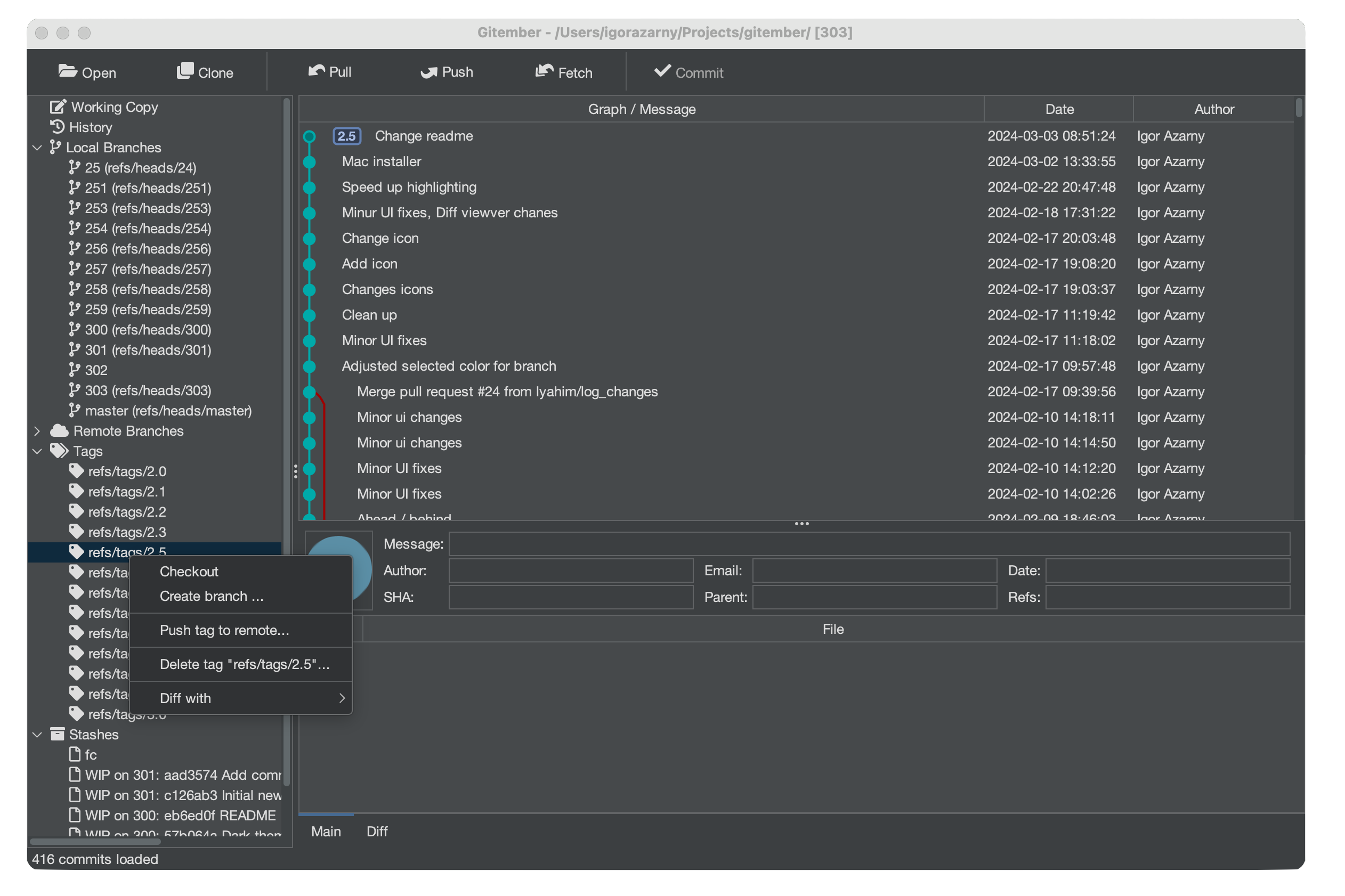
Clicking a tag navigates the History view to the commit the tag points to.
Creating a Tag
To tag the current HEAD commit:
- Open the Branches panel.
- Click the Create Tag button in the toolbar, or right-click in the Tags section and choose Create Tag.
- Enter a tag name in the dialog (e.g.
v1.0). - Click OK.
Gitember creates an annotated tag on the current HEAD.
Tag names follow the same rules as branch names — no spaces, no special characters other than -, _, and ..
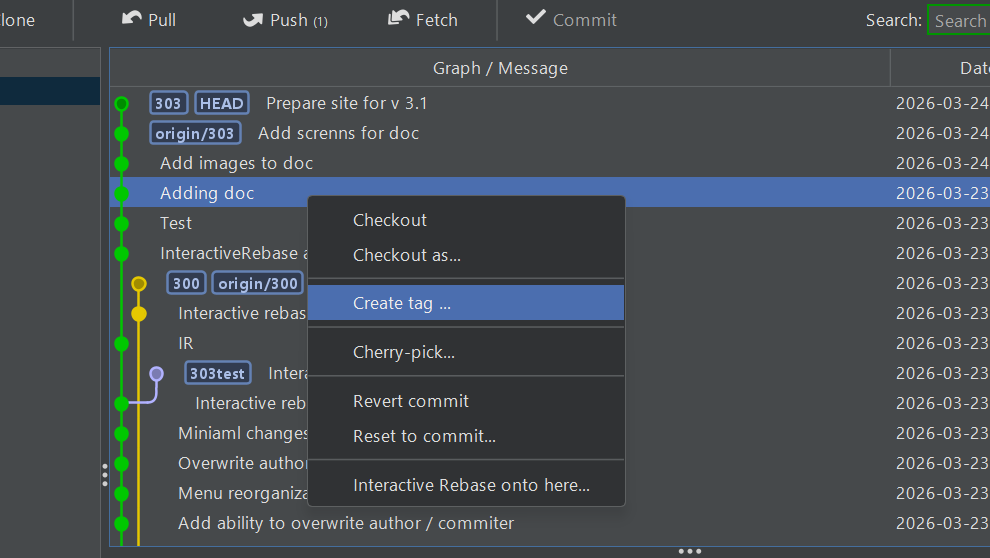
To tag a specific commit rather than HEAD:
- Open the History view.
- Right-click the target commit.
- Select Create Tag from the context menu.
Deleting a Local Tag
To remove a tag from your local repository:
- In the Branches panel, right-click the tag you want to remove.
- Select Delete Tag.
Deleting a local tag does not remove it from the remote repository. Use Delete Remote Tag to remove a tag from the remote.
Pushing a Tag to Remote
To share a tag with others by pushing it to the remote repository:
- Right-click the tag in the Branches panel.
- Select Push Tag.
The tag is pushed to origin using the same credentials configured for the repository.
Deleting a Remote Tag
To remove a tag from the remote repository (without affecting the local tag):
- Right-click the tag in the Branches panel.
- Select Delete Remote Tag.
A force-delete ref spec is sent to the remote, removing the tag there while keeping your local copy intact.
Summary
| Action | How to trigger |
|---|---|
| View tags | Branches panel → Tags section |
| Create tag on HEAD | Branches panel toolbar → Create Tag |
| Create tag on a commit | History view → right-click commit → Create Tag |
| Delete local tag | Branches panel → right-click tag → Delete Tag |
| Push tag to remote | Branches panel → right-click tag → Push Tag |
| Delete remote tag | Branches panel → right-click tag → Delete Remote Tag |